

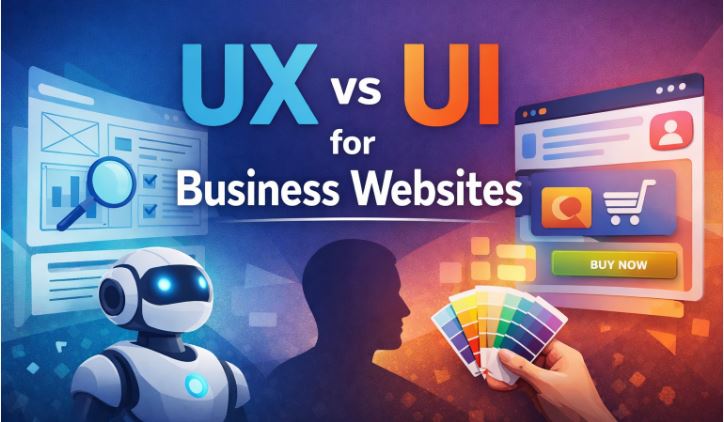
In 2026, your digital presence is no longer just a “website”, it is your primary salesperson, customer service rep, and brand ambassador rolled into one. Users now decide whether to trust a company within milliseconds of landing on their page.
For business leaders, understanding the distinction between UX (User Experience) and UI (User Interface) isn’t just about design aesthetics; it’s about understanding the mechanics of conversion, retention, and ROI.
Why Ethical Design Is Essential in 2026
Beyond traditional KPIs, 2026 marks a shift toward Ethical Design. With global regulations like the EU’s Digital Services Act cracking down on “Dark Patterns” (manipulative design), businesses that prioritize transparent, user-first experiences are gaining a significant competitive advantage in brand loyalty and legal compliance.
UX vs. UI for Business Websites: The Blueprint vs. The Paint
While the terms are often used interchangeably, they serve two distinct functions.
- UX (User Experience): It is how a person feels and thinks when using a company’s products or services. It focuses on making things easy to use, easy to navigate, and helpful for solving problems.
- UI (User Interface): It includes all the screens, pages, and visual elements (like buttons and icons) that let a person use a product. It focuses on branding, emotion, and visual clarity.
At-a-Glance Comparison
| Feature | UX (User Experience) | UI (User Interface) |
| Focus | The “Why” and “How” of the journey. | The “Look” and “Feel” of the journey. |
| Main Goal | Solving user problems & efficiency. | Creating emotional delight & brand trust. |
| Tools | Research, Wireframes, Personas. | Color palettes, Typography, Animations. |
| Business Metric | Retention, Churn Rate, Task Success. | Conversion Rate, Time-on-Page, Trust. |
The Modern Workflow: Figma & AI
In today’s market, Figma is commonly used to reduce the gap between design and development. So, they stay aligned and work as a team. For a business, Figma is valuable because it allows them to see the changes as they happen and respond immediately. For example, you can watch your product being built and provide feedback instantly.
In 2026, designers’ work is also heavily augmented by AI. Designers use AI to manage repetitive tasks like creating layouts, checking color accessibility. This allows them to spend more time on high-level strategy and creative problem-solving.
Trusted Theories: Why Users Do What They Do
To achieve high conversion rates, designers rely on established psychological frameworks that dictate how humans interact with technology.
Jakob’s Law: The Power of Familiarity
According to Jakob Nielsen’s Law, users spend most of their time on other websites. This means they expect your site to work like sites they already know, such as Amazon, Google, or LinkedIn. If you change navigation just to be “unique,” it can make your site harder to use. The key to success is to keep the user experience (UX) familiar while making your brand look unique (UI).
Cognitive Load: The Psychology of Friction
For users, Cognitive load is the mental effort a person needs to use your product. Every extra button or confusing heading makes it harder to use, creating “friction.” In 2026, friction is a profit-killer. Industry data shows that every extra second of loading or extra click during checkout can reduce conversions by an average of 7%.
What Skills to Consider When Hiring UX/UI Designers
When building your team or hiring an agency, ensure they have these specific 2026-critical skills:
The UX Strategist:
- Data Analysis: Can they interpret Google Analytics to find where users are dropping off?
- Empathy & Research: Do they conduct actual user interviews?
- Accessibility (WCAG 2.2): Are they designing for the 15% of the population with disabilities?
The UI Designer:
- Interaction Design: Can they create micro-animations that guide a user’s eye?
- Visual Hierarchy: Can they use design to make the most important information stand out?
- Design Systems: Can they create a scalable library of elements so your brand stays consistent?
How to Brief Designers More Effectively
Most design projects fail because of a “vague brief.” To get the best results, stop telling designers what you want it to look like and start telling them what you want it to achieve.
The 2026 Briefing Checklist:
- The Business Goal: (e.g., “We need to reduce our checkout abandonment by 10%.”)
- The Target Audience: (e.g., “Busy tech professionals who value speed over detail.”)
- The Problem: (e.g., “Our current mobile users find the ‘Sign Up’ button hard to find.”)
- The Must-Haves: Brand guidelines, specific tech stacks, or legal compliance needs.
Should You Redesign or Improve Your Product?
Businesses often wonder where to put their budget. Use this simple framework:
- Choose a UX Focus (Structural Redesign) if your data shows that users are arriving at your site but leaving immediately (High Bounce Rate) or failing to complete a purchase despite clicking around.
- Choose a UI Focus (Visual Refresh) if your site functions well but looks “dated” compared to competitors, or if you have undergone a brand pivot and need to re-establish trust and modern appeal.
What Trends Will Impact the Future?
As we move through 2026, two trends are non-negotiable for business success:
- Hyper-Personalization: Using design to show different content to a returning customer than a first-time visitor.
- Voice and Gesture UI: With the rise of smart devices, “clicking” isn’t the only way users interact. Your design strategy should account for voice commands and touchless navigation.
Summary
UX and UI are not just design choices. They show how your business strategy works online. When you focus on clear, data-driven UX and a trustworthy, good-looking UI, your business does more than survive in 2026. It stays strong and competitive.
FAQs
Should I prioritize UX or UI first?
UX first. A beautiful site (UI) is useless if it’s hard to navigate (UX). Fix the logic and structure before the visuals.
How long does the design process take?
Typically 4 to 12 weeks. This allows for research, wireframing (UX), and high-fidelity visual design (UI).
Is accessibility (WCAG) mandatory?
Yes. In 2026, it is a legal requirement in most regions. It also expands your market to users with disabilities.
Can AI replace human designers?
No. AI speeds up production, but humans are still needed for strategic decision-making and user empathy.
How do I know if my UX is failing?
Check your data. High bounce rates, low conversion, and frequent “how-to” questions to support are clear red flags.